Replace Slack + Notion With One Workspace
Most small teams run chat in Slack and docs in Notion, then lose decisions somewhere between the two. Where the pair breaks, how each feature maps to one workspace, what you give up, what the pair costs a ten-person team ($2,070 a year at annual list prices), and a two-week plan to move.
By Yassine JouichateFounder & CEO, Workel
Key takeaways
- Slack Pro ($7.25) and Notion Plus ($10) cost $17.25 per user per month on annual billing, or $2,070 a year for a ten-person team.
- Workel Pro covers chat, docs, tasks, calendar and files for $7 per user per month billed annually: $840 a year for the same team, about 60% less.
- The official Slack and Notion integrations move updates and links across, but a person still has to carry each decision from the thread to the doc.
- Switching means giving up Notion databases, nested pages and version history, plus Slack's message search, threads, Slack Connect and app directory, so keep whichever tool is load-bearing.
- A small team can move in two weeks: import Notion task databases and move living docs in week one, then switch chat cold turkey in week two.
A decision gets made in a Slack thread on Tuesday: the launch slips a week and the onboarding flow drops a step. By Friday the Notion spec still describes the old plan, the new hire is building from it, and nobody can remember which channel the change was agreed in. Nothing broke. Each tool did exactly its job.
That is the quiet problem with one of the most common small-team stacks. Slack is excellent at conversation and Notion is excellent at writing things down, but the work happens in the gap between them, and someone has to carry every decision across that gap by hand.
Why do so many teams run Slack and Notion together?
Teams run Slack and Notion together because neither tool does the other's job, and both are genuinely good at their own.
Slack is built for talk: channels for every topic, direct messages, threads and huddles. It is where questions get answered in minutes and where the day's decisions actually happen.
Notion is built for writing: a flexible page editor, wikis that grow into handbooks, and databases that can model almost anything, from a content calendar to a lightweight CRM. It is where the team's knowledge is supposed to live once the conversation is over.
Notion has comments and mentions, but no channels, no direct messages and no calls, so real-time conversation happens somewhere else. Slack has added canvases and lists, but few teams run a company wiki out of them. So a growing team adopts both early and treats the pairing as the default. It works well enough that the costs only show up later, in the handoffs.
Where does the Slack and Notion setup break down?
The Slack and Notion setup breaks down in the seams between the two tools, not inside either one.
- Decisions stay where they were made. A choice agreed in a thread only reaches the spec if someone copies it over, and that job belongs to nobody. Specs drift out of date quietly, which is worse than being visibly wrong.
- Every search starts with a guess. Two apps means two search boxes and two half-answers. The link to the doc is in the chat; the reasoning behind it is in a thread someone has to scroll back to find.
- Links become the glue. Teams hold the stack together by pasting Notion links into Slack and Slack links into Notion. Links rot or point at an outdated version.
- Two permission models. Every new hire, contractor and departure gets handled twice, under two sets of guest rules that rarely match. Someone ends up able to read the channel but not the spec it links to.
- Notifications arrive twice. A comment on a Notion page pings you in Notion, then again in Slack through the integration, and you still open both apps to understand what happened.
Each of these costs minutes, not dollars, but the team pays them on every decision, every week, and that context switching adds up.
Does the Slack and Notion integration fix it?
The Slack and Notion integrations fix it only partly. The official integrations post Notion updates into a Slack channel, show a preview when someone pastes a Notion link, and let you send a Slack message into a Notion database or turn it into a Notion task. If you keep both tools, turn them on.
But look at what they depend on: someone noticing the right message and sending it across. The integration can turn a Slack message into a Notion task, but only when a person remembers to. Otherwise the decision, the reasoning around it and the task it should have created still live in two places. An integration makes the seam easier to cross. It doesn't remove it.
AI makes this more visible, not less. An assistant can only reason about the context it is handed. Notion's Business plan can point Notion AI at your Slack workspace, but only at public channels and with a delay before new messages show up, so private channels and DMs, where many decisions are made, stay out of reach. We've written separately about why AI agents are only as smart as your workspace; the short version is that fewer places for work to live beats a better connector.
What do Slack and Notion features look like in one workspace?
Most everyday Slack and Notion features map to Workel's chats, calls, Docs and projects. The main gaps are message search, a thread panel and a public channel directory on the Slack side, and databases, nested pages and version history on the Notion side. Here is the full mapping, including the places where there is no equivalent yet.
| What you use today | In Workel | Gap or note |
|---|---|---|
| Slack channels | Group chats for any topic, a workspace-wide chat, and an optional chat for each project (add its Chat tab) that keeps in step with who is on it | Group chats are invite-only; there is no directory of public channels |
| Slack direct messages | Set up automatically between members and readable only by the people in them | Not even workspace owners can open them |
| Slack threads | Quote-reply to a specific message inline | No thread panel for side conversations |
| Slack search | Search across docs, tasks, projects and files; chat search finds conversations and their latest message | Older messages aren't searchable yet |
| Reactions, mentions and pins | Emoji reactions, @mentions that notify, read receipts, pinned messages and pinned conversations | — |
| Huddles and calls | Voice and video calls from any chat, one-to-one or with the whole group | No drop-in huddle rooms; the pricing page lists group video calls on the Max plan |
| Voice clips | Voice notes with automatic transcripts | In a project chat, a voice note can become draft tasks you review first |
| Slack AI recaps | The AI assistant summarizes a chat's latest messages or catches you up | Included on the Team plan; answers only from what you're allowed to see |
| Notion pages and wikis | Docs: workspace docs and project docs, private or shared with the team | Pages sit side by side in a project rather than nesting |
| The Notion editor | Slash menu with headings, task lists, callouts, tables, equations, images and YouTube embeds; real-time co-editing; templates; Word and PDF export | — |
| Notion databases | Projects cover task tracking; a table inside a doc is a plain table | No database properties, formulas, relations, rollups or custom views |
| Notion task databases | Projects with kanban, list and calendar views, assignees, priorities, due dates, recurring tasks and reminders | The one part of Notion that imports directly |
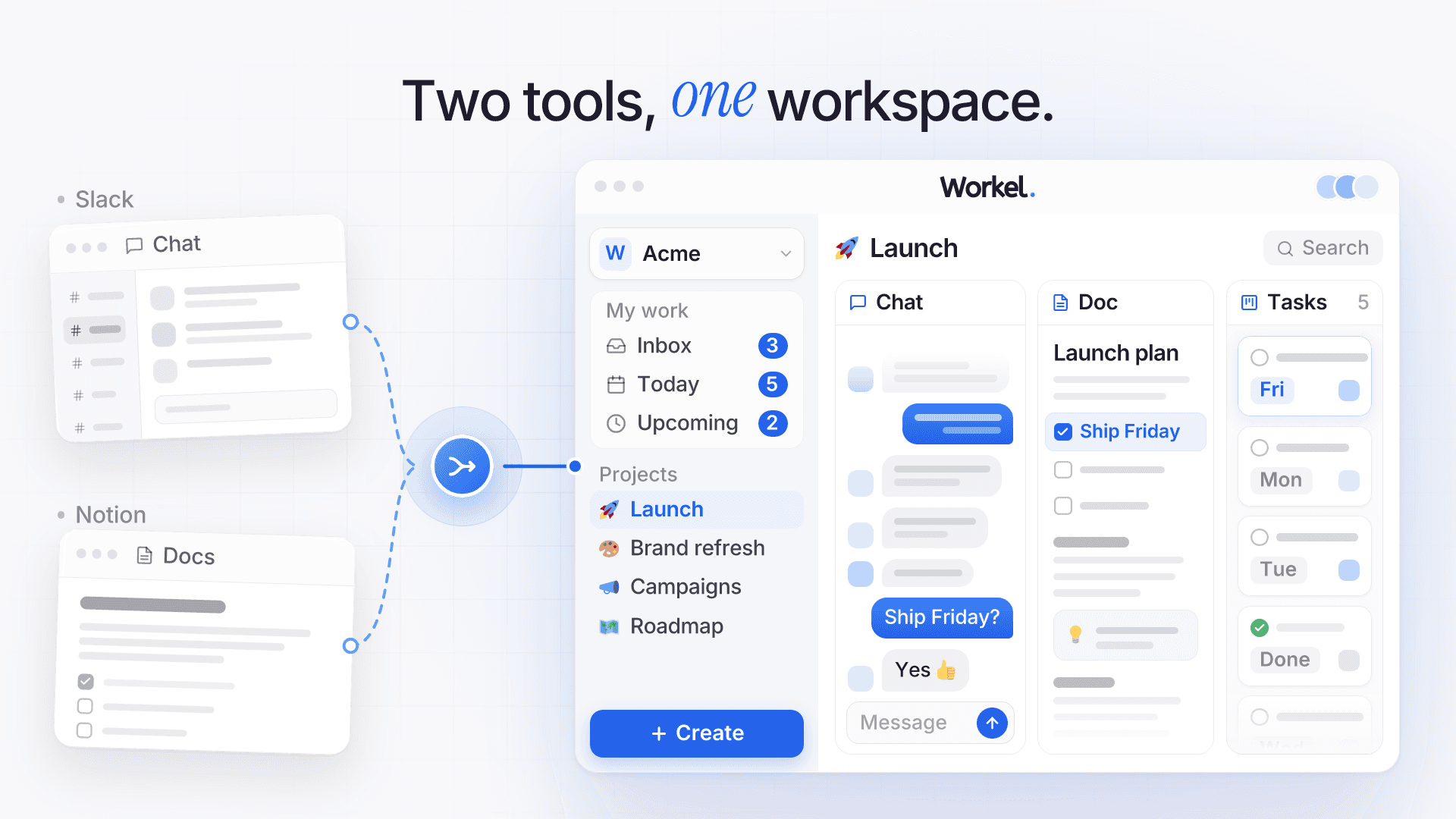
What neither tool has on its own is the connection. A line in a doc that you turn into a task stays linked to it and shows its live status, a whole doc can be turned into draft tasks with AI, and a project keeps its chat, docs, tasks and files side by side, so the decision, the spec and the work share one address.
What do you give up, and when should you keep Slack or Notion?
You give up Notion's databases and version history and Slack's threads and message search, so keep whichever tool is load-bearing and consolidate around it. For some teams, the things you leave behind are the point.
From Notion, you give up databases. Workel has no properties, formulas, relations, rollups or custom database views, and a table inside a doc is a plain table. You also give up nested page hierarchies, page comments, version history, pages published to the public web, and page-to-page links with backlinks. The Notion importer brings task databases across; it does not bring pages or wiki content.
From Slack, you give up searchable message history, on top of the channel directory, threads and huddles noted above. Workel's search covers docs, tasks, projects and files, but not past messages. You also give up Slack Connect channels shared with other companies (guest access for clients is still coming), the app directory, bots and workflow automations, and link previews and GIFs in chat. There is no Slack importer, so your history stays in Slack.
Workel runs in the browser and as a desktop app for Mac and Windows. The iOS and Android apps are coming soon, which matters if your team does most of its chatting from a phone.
So the rule is the one we give for any consolidation: keep whichever tool is load-bearing and consolidate around it. If Notion databases run your content pipeline or sales tracking, keep Notion for those and move chat, project docs and tasks. If you live in shared channels with clients or depend on Slack integrations, keep Slack. If neither is true, chat, docs, tasks and files are exactly the set one workspace is built for.
How much do Slack and Notion cost together compared with one workspace?
Slack Pro and Notion Plus together cost $17.25 per user per month at annual list prices, or $2,070 a year for a ten-person team, while Workel Pro costs $840 a year for the same team, about 60% less.
| Plan | Billed annually | Billed monthly | Ten people, per year (annual billing) |
|---|---|---|---|
| Slack Pro | $7.25 | $8.75 | $870 |
| Notion Plus | $10 | $12 | $1,200 |
| Slack Pro + Notion Plus | $17.25 | $20.75 | $2,070 |
| Slack Business+ + Notion Business | $35 | — | $4,200 |
| Workel Pro | $7 | $8 | $840 |
| Workel Max | $12 | $15 | $1,440 |
| Workel Team (flat, covers 20 people) | $83 a month | $99 a month | $996 |
Slack Pro includes channels, direct messages, huddles and the app directory, plus AI thread summaries and huddle notes. Notion Plus includes pages, wikis and databases, with a trial of Notion AI.
The pair's total assumes all ten people stay active (Slack credits you for members who go inactive). On monthly billing it comes to $2,490 a year.
Workel Pro includes chat, docs, tasks, calendar and files. Workel's pricing page lists group video calls on the Max plan, so if calls are a big part of how your team uses Slack, compare against Max instead: $12 billed annually, or $1,440 a year, still $630 under the pair.
The gap widens once you want AI beyond summaries. Slack Pro already summarizes threads and takes huddle notes, but AI search and recaps sit on Business+ at $15, and Notion's full AI starts on the Business plan at $20. Both tiers also add admin and security features, so not all of that price is for AI. That pair is $35 per person, or $4,200 a year for ten. Workel's Team plan is a flat $83 a month billed annually, covering 20 people and the AI assistant: $996 a year.
Prices change, so check both vendors before you decide.
How do you move off Slack and Notion in two weeks?
A small team can make this move in two weeks: move tasks and living docs in week one, switch chat cold turkey in week two, then downgrade Notion before Slack. The trick is treating docs and chat differently: docs and tasks can run in parallel for a while, chat can't. Running two live chat tools is worse than either one, because every message becomes a guess about where the reply will land.
Before you start: export what your Slack plan allows (on Free and Pro that means public channels only; private channels and DMs need Business+ or above), export your Notion workspace as a backup, and list the Slack channels people actually used last month. It is often a handful.
Week 1, day 1: create your first project. Invite the people on it and tick its Chat tab (or add the tab later) so the project gets a chat with everyone on it. Direct messages between members are set up automatically when they join the workspace.
Week 1, day 2: import your Notion task databases. Export each one as CSV or ZIP and import it from Settings → Import / export (workspace owners and admins). Statuses become board columns, assignees are matched to teammates, and rows marked done arrive completed.
Week 1, days 3 to 5: move living docs only. The handbook, current specs, onboarding notes, anything opened this quarter. Recreate them in Docs by hand, in the project each one belongs to (or the workspace section), turning action items into tasks as you go. Leave the archive in Notion, read-only.
Week 2, Monday: switch chat cold turkey. Create group chats for the channels on your list, post the Workel link in your busiest Slack channel, pin it, and stop replying in Slack. Keep Slack open for looking things up, not for talking.
Week 2, Tuesday to Friday: new work goes into Workel only. When someone needs an old Notion page, they move it over then.
End of week 2: downgrade in the right order. Keep Slack paid for as long as the team still searches it, because its free plan shows only the last 90 days of messages and deletes data older than a year. Notion can drop sooner: once your living docs have moved, the archive stays readable on the free plan. Free workspaces with two or more members are capped at 1,000 blocks, but existing pages stay readable and editable; nobody can add new content until you're back under the limit.
Frequently asked questions
Can you replace Slack and Notion with one tool?
For most small teams, yes: an all-in-one workspace covers chat, direct messages, docs, tasks, files and calls in one place. Teams that rely on Notion databases, Slack Connect or a library of Slack integrations do better keeping that one tool and consolidating the rest around it.
Can Notion replace Slack?
Not on its own. Notion has page comments and mentions, but no real-time channels, direct messages or calls, so teams that try to talk inside Notion usually end up back in a chat app.
Can Slack replace Notion?
Only for light use. Slack's canvases and lists handle briefs and simple trackers, but they aren't built to be a structured wiki or a relational database with formulas and rollups, which is why most teams add a docs tool as they grow.
Do Slack and Notion integrate?
Yes. The official integrations send Notion updates to Slack channels, preview Notion links pasted into chat, and can turn a Slack message into a Notion task or database entry. They still depend on someone sending the right message across; otherwise the decision and its reasoning stay in two places.
Is it worth paying for both Slack and Notion for a small team?
At current annual list prices, Slack Pro and Notion Plus cost $17.25 per person per month, or $35 on the Business+ and Business tiers that carry each tool's fuller AI. That is worth it when one of them is load-bearing; for a team that mainly needs chat, docs and tasks, one workspace costs a fraction of it.
Can I import my Notion workspace into Workel?
Partly. Workel imports Notion databases exported as CSV or ZIP and turns them into tasks, keeping the title, status, assignee, due date, priority and description, with tags added to the description as a Labels line. Pages and wiki content don't import, so plan to move the docs you still use by hand.
Will I lose my Slack message history if I switch?
Your history stays in Slack, because Workel has no Slack importer. Export what your plan allows before you change anything (on Free and Pro that means public channels only), and remember that Slack's free plan only shows the last 90 days of messages and permanently deletes data older than a year.
Does Workel have threads and message search like Slack?
Not yet. You can quote-reply to any message, and search covers docs, tasks, projects and files, but there is no thread panel and past messages aren't searchable. If your team leans on searching old conversations, factor that in before you switch.
Sources
- Slack pricing, accessed September 27, 2026
- Slack Help Center: Slack plans and features, accessed September 27, 2026
- Notion pricing, accessed September 27, 2026
- Notion: Slack connection, accessed September 27, 2026
- Workel pricing, accessed September 27, 2026
About the author
Yassine Jouichate is the founder and CEO of Workel, the all-in-one workspace that brings projects, tasks, chat, docs, files, calendar and video calls together for small teams. He leads product and engineering, and writes about how small teams can do their best work with fewer tools.
More from Yassine